Getting Started
Let's discover TimeOFF - Paid Time Off Workflow in few minutes.
Why TimeOFF?
TimeOFF brings automation and structure to your leave management process, saving your team hours of unnecessary communication and coordination. With clear steps and responsibilities, both employees and managers always know what is expected and when.
Questions like “Who do I send my request to?”, “Where is the document?”, “Does anyone have the latest version?”, or “How many days off do I have left?” become a thing of the past. Everything is streamlined, transparent, and accessible, so your team can focus on what matters most—their work.
Consider this: in a small company with about twenty employees, there are usually at least fifty leave requests per year. If TimeOFF saves just 12 minutes per request, that’s 600 minutes—or a full 10 hours—reclaimed for productive work instead of paperwork.
It’s easy to overlook the hidden cost of simple, everyday tasks. But when you add up the time and effort saved, the value of a solution like TimeOFF becomes clear.
What is TimeOFF?
TimeOFF is a simple and affordable paid time off workflow for small teams. It focuses only on the essential features you need, while avoiding unnecessary complexity. You don’t need to read a manual to approve someone’s request. Everything is straightforward and intuitive.
“Simplicity is the ultimate sophistication.”
— Leonardo da Vinci
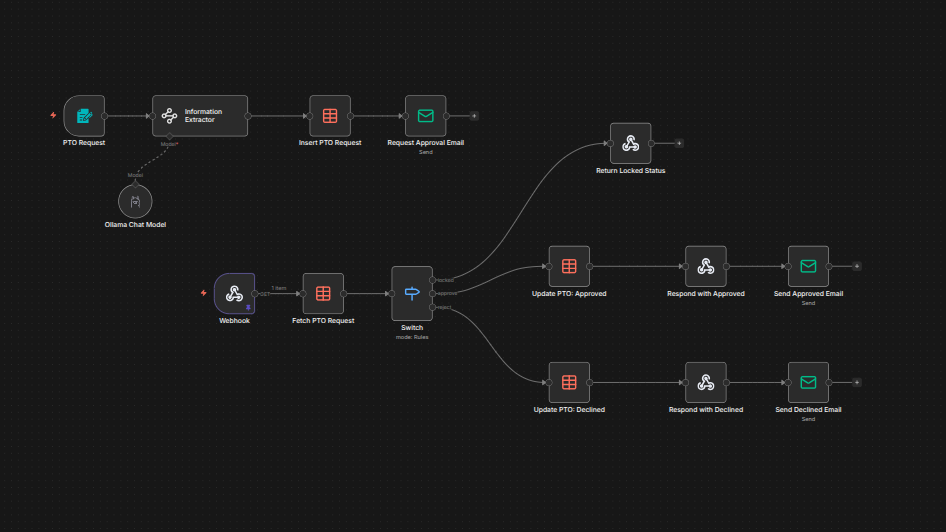
With TimeOFF, employees can easily submit requests, while managers can quickly approve or decline them, all while everyone receives email notifications to stay informed. Below is a diagram showing the workflow logic, but as a user, you never have to worry about the details. Everything happens through simple forms and email communication.
Using TimeOFF as an Employee
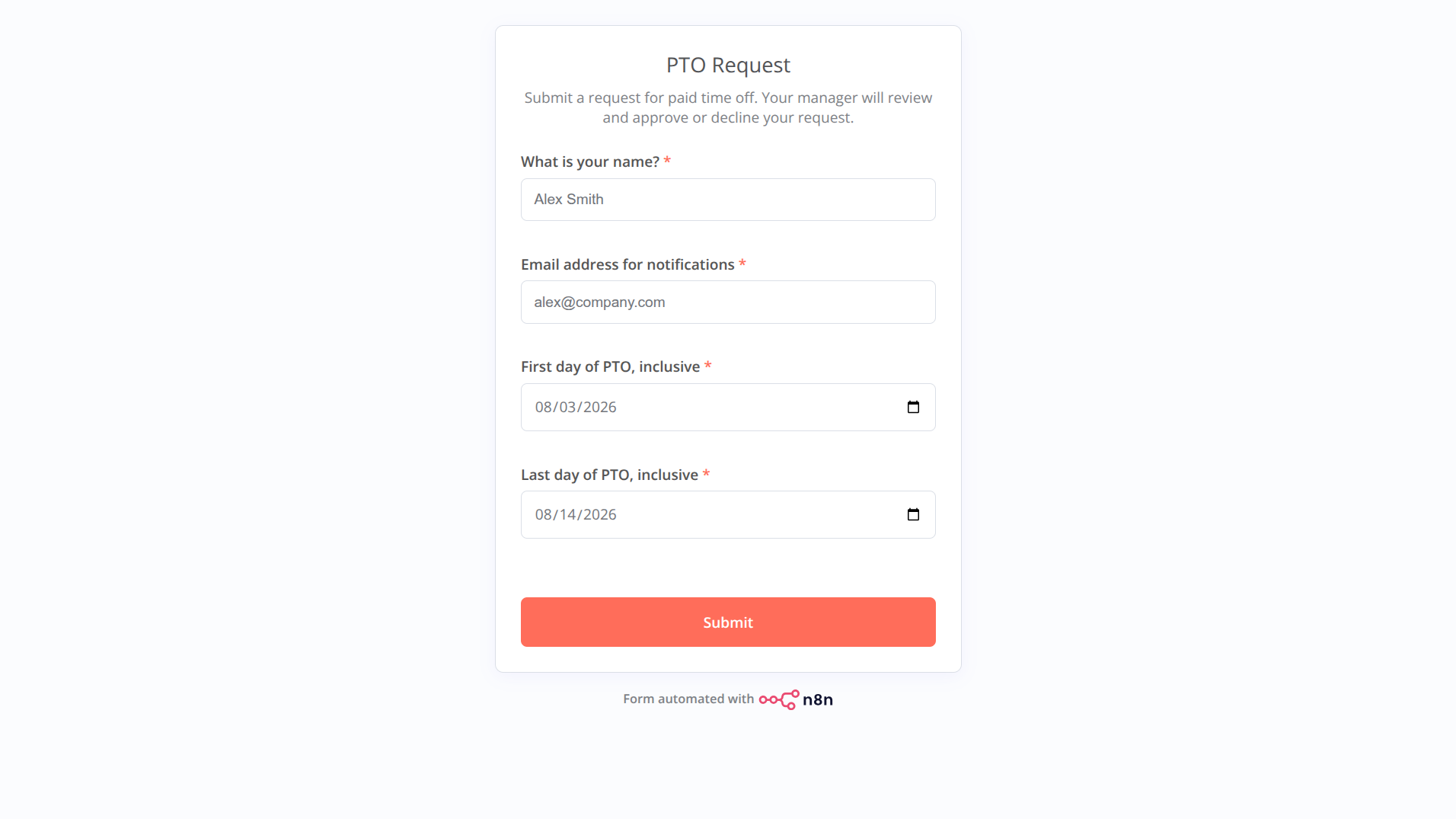
As an employee, you simply fill out a form by selecting the start and end date for your TimeOFF request. Think of TimeOFF as your personal assistant, handling all notifications and communication across the company, while you focus on your daily work and your time off request is managed in the background.
Using TimeOFF as a Manager
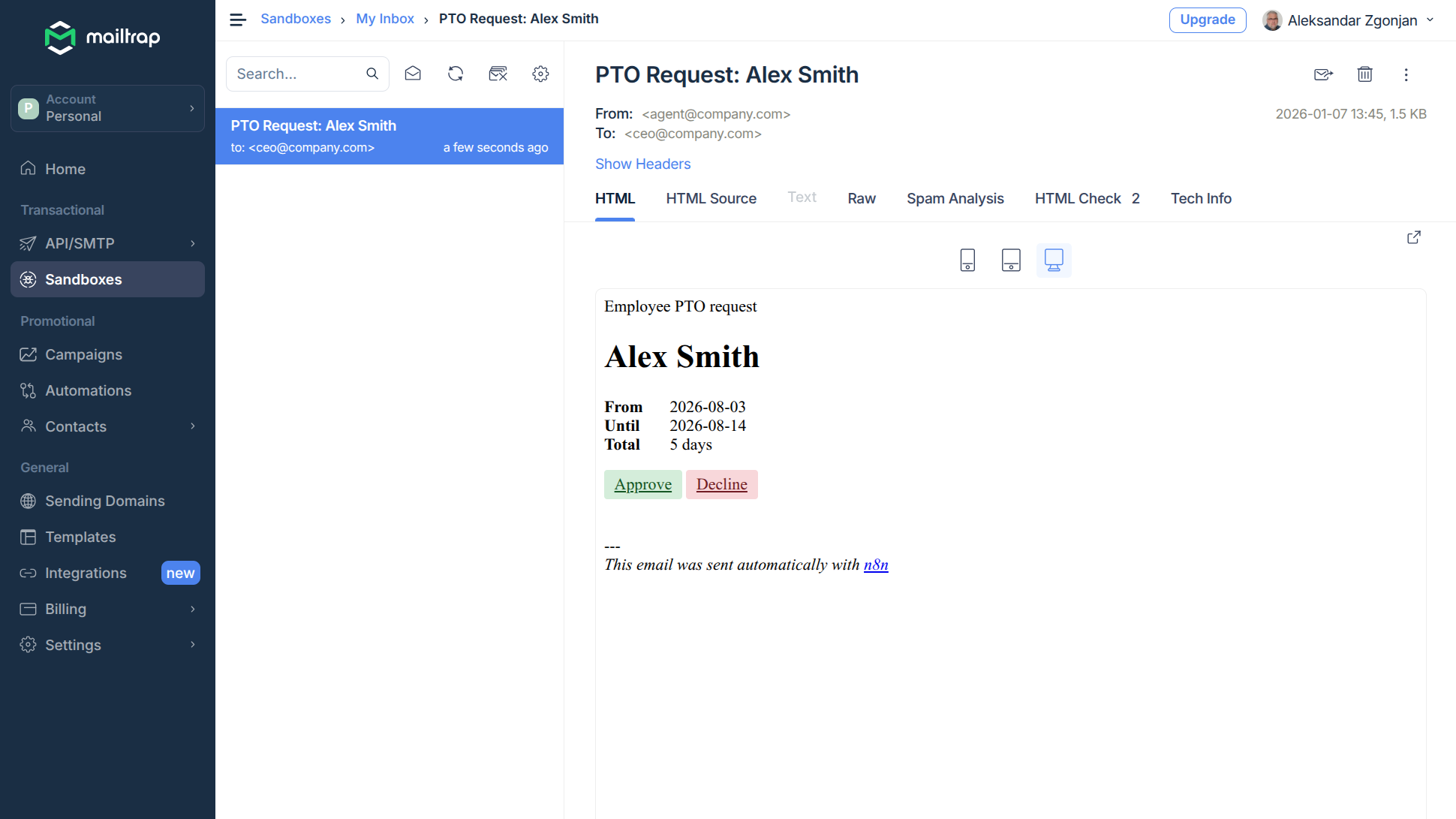
As a manager, you’ll receive an email notification every time an employee submits a TimeOFF request. Directly from the email, you can approve or decline the request with a single click, while TimeOFF takes care of the rest. The system will automatically notify the employee and everyone else involved about your decision, so you don’t have to do anything more.